Talk with a companion
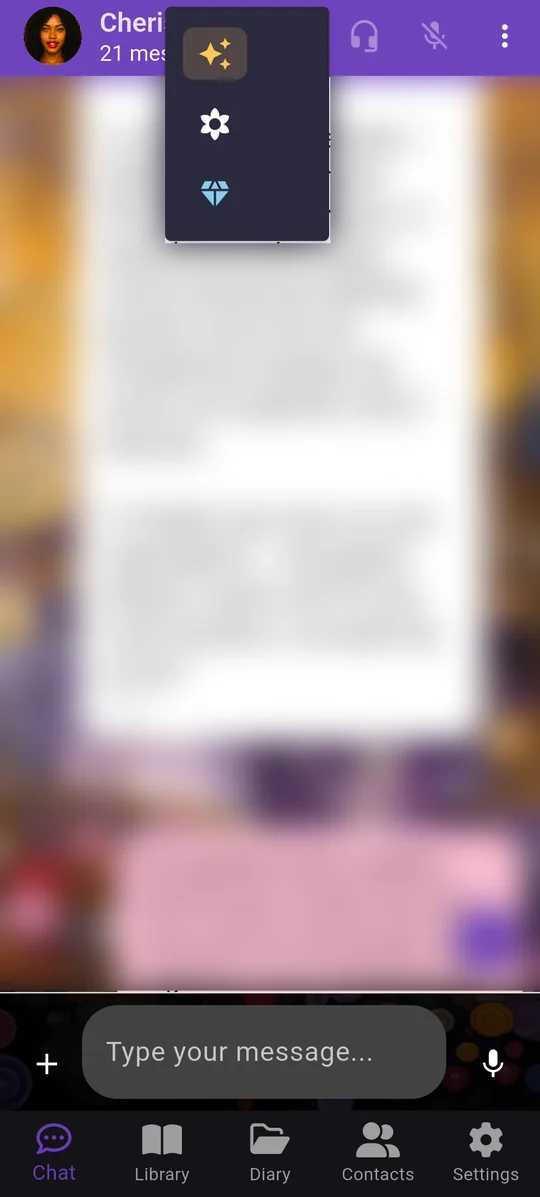
The Chat tab is where you talk freely with a character. Write or speak, in any language. Companions remember what you tell them.
 The button at the top shows the AI you are using now: it stays on the last one you chose. Tap it to switch to another:
 Claude — the amber sparkle.
 ChatGPT — the white flower.
 Gemini — the blue diamond.
 Hands-free: talk and listen without touching the screen.
 The ⋮ menu: more options, shown next.
Start learning a language
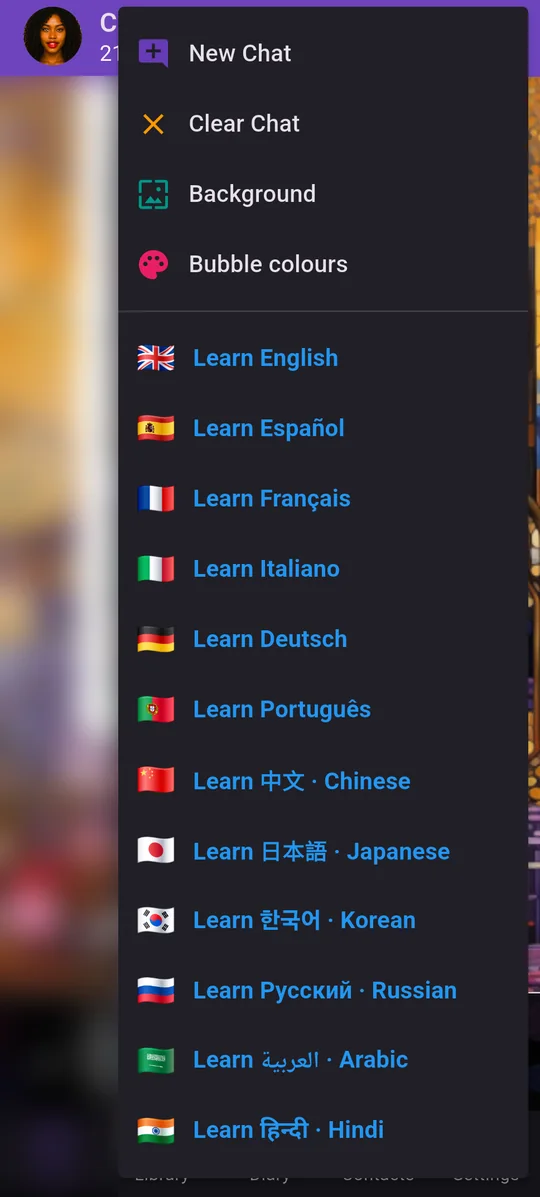
Tap ⋮ at the top right of any chat. From here you can open a tutor for one of 12 languages.
 Start a new chat, or clear the current one.
 Change the background and the bubble colours.
 Learn …: opens the tutor for that language. Each language has its own tutor — Liam for English, Alejandro for Spanish, Eva for Italian, and more.
Your language tutor
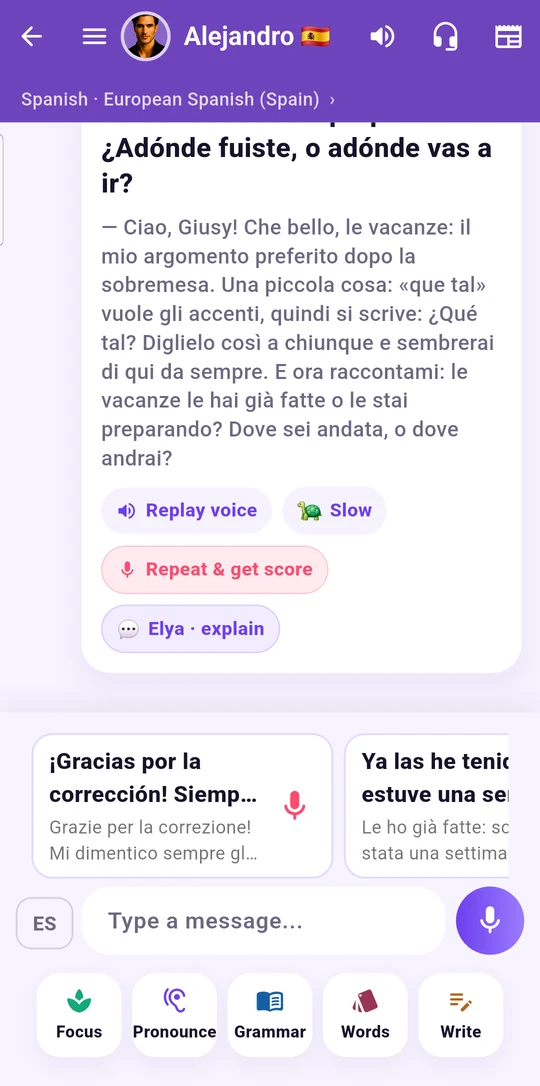
The tutor talks with you at your pace. You can just chat, or learn step by step. The tutor decides when to move on, and never marks you wrong.
 The variety you are learning: Spain, Mexico, Argentina… Tap to change it.
 Show the translation in your own language.
 Replay the voice, or play it slowly 🐢.
 Repeat & get score: say the sentence and see how your pronunciation sounds.
 Elya · explain: ask why a sentence works the way it does.
 Ready-made replies: tap one, or tap the mic and say it.
 ES / your language: switch the microphone between the language you are learning and your own.
 Focus, Pronounce, Grammar, Words: quick practice in one tap.
 The ☰ menu opens everything else, shown next.
Everything the tutor can do
Tap ☰ at the top left of the tutor chat.
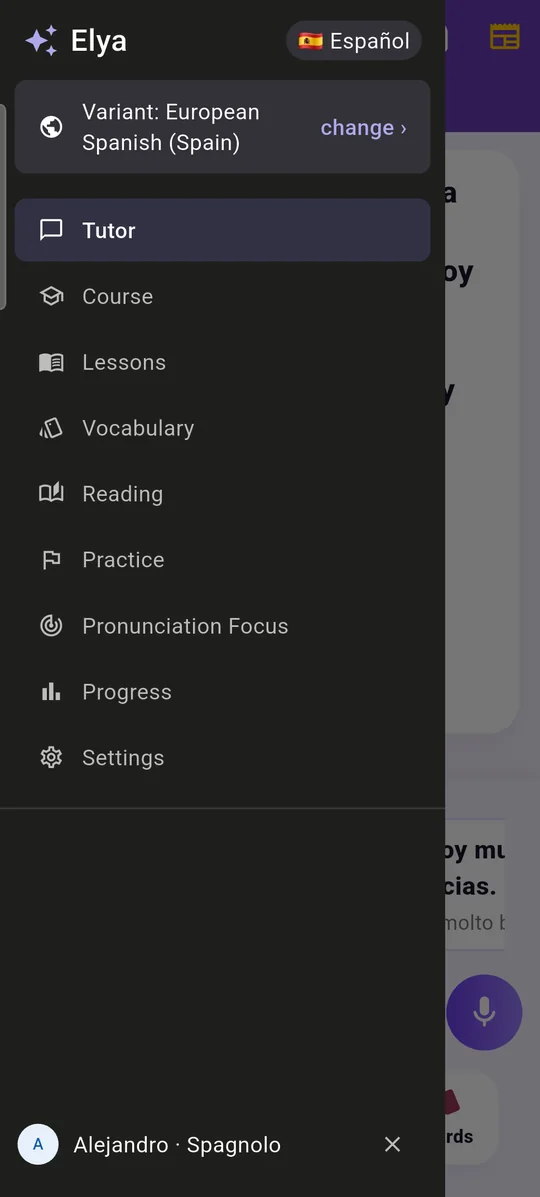
 Variant: change the accent and the way of speaking you are learning.
 Course: topics from A1 to C2.
 Lessons: stories with real accents, idioms and dialects.
 Vocabulary: your words, with their sound.
 Reading: texts written for your level, and whole classic books.
 Pronunciation Focus: the words you want to practise saying.
Lessons and stories
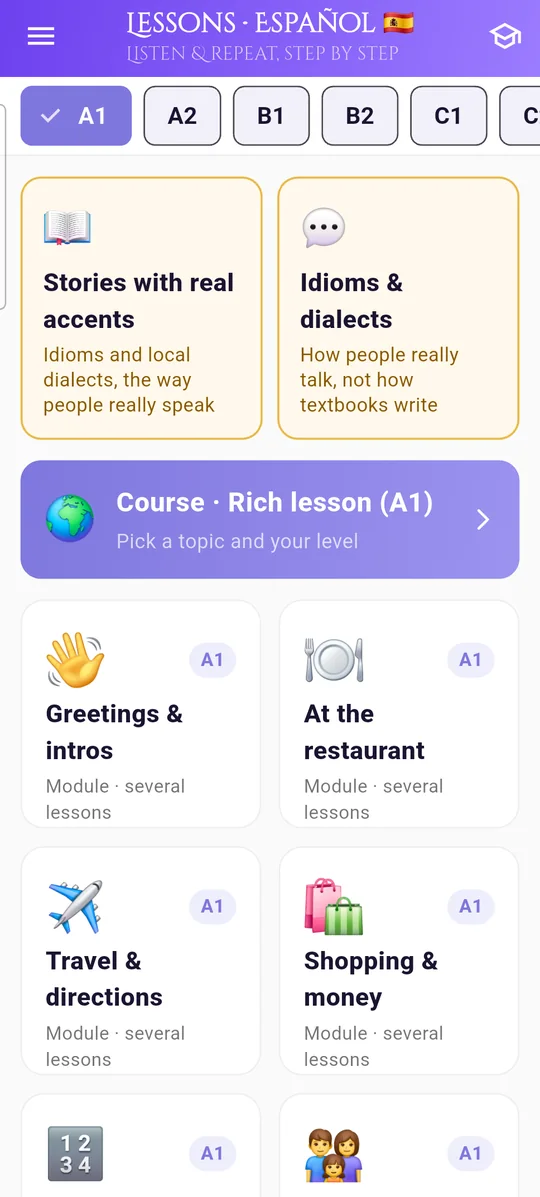
Pick your level at the top. Every story is set in a real place, with the way people really speak there.
 Choose your level: A1 to C2.
 Stories with real accents.
 Idioms & dialects: how people really talk.
 Course: a rich lesson on the topic you choose.
Find a story
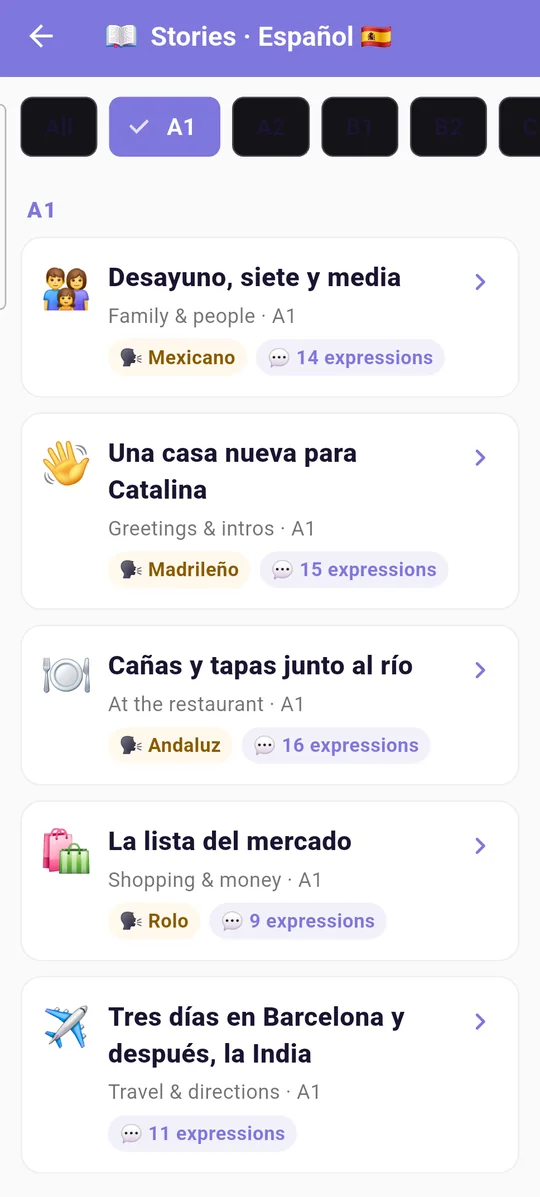
Each story shows its topic, its level and the local accent you will hear.
 The accent of the story: Mexican, Madrid, Andalusian…
 How many local expressions you will meet in it.
Words light up as you listen
Stories are read aloud by real voices. While the voice reads, the word being spoken lights up, so your eyes and ears stay together.
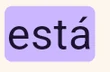 The word being spoken lights up.
 Read the story in the present tense, in the past tense, or as a dialogue.
 A− / A+: make the text smaller or larger.
 Vocabulary, Grammar, Culture: notes for this story.
 Listen to the story.
 Highlight colour: turn the highlighting on or off and choose its colour.
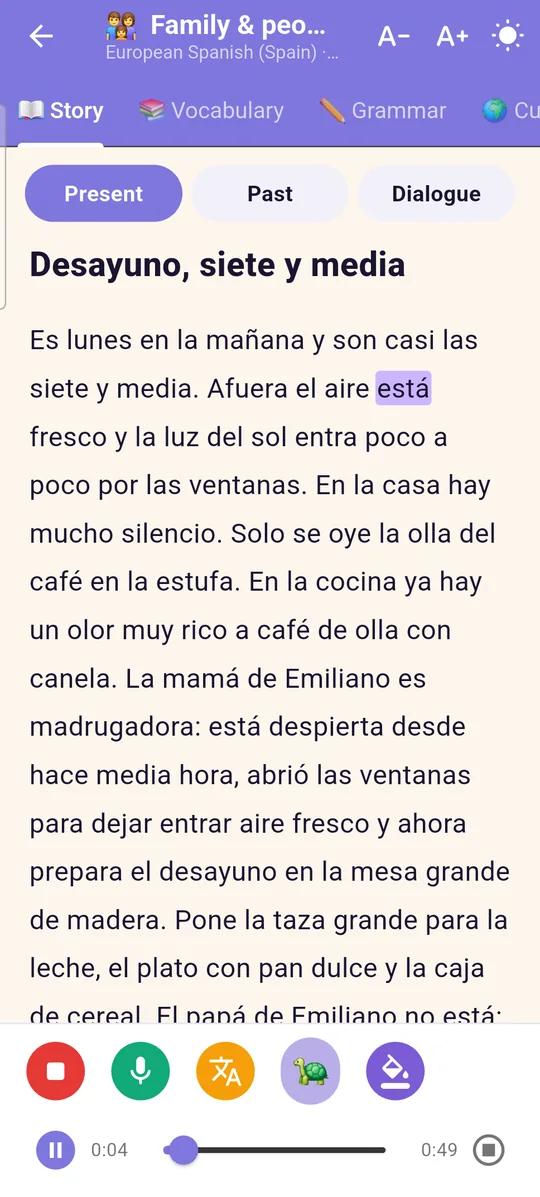
Choose your highlight colour
Pick the colour that is easiest for you to read. The same choice applies to books.
 Turn highlighted words on or off.
 Five colours: purple, yellow, green, blue, pink.
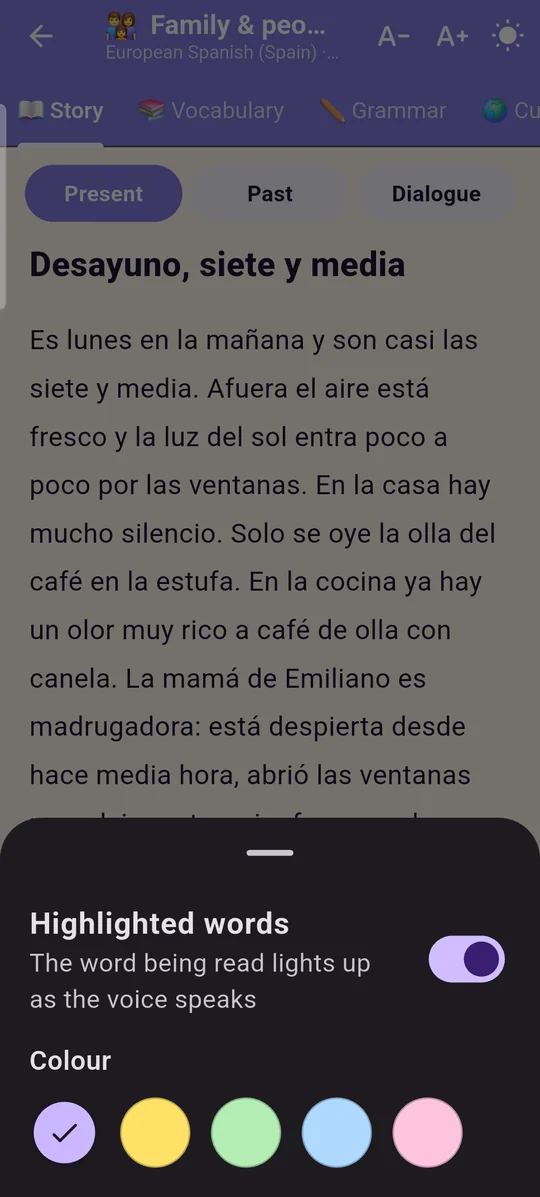
Words in context
Every story comes with its words, explained in your language, each with an example from the story.
 Hear the word.
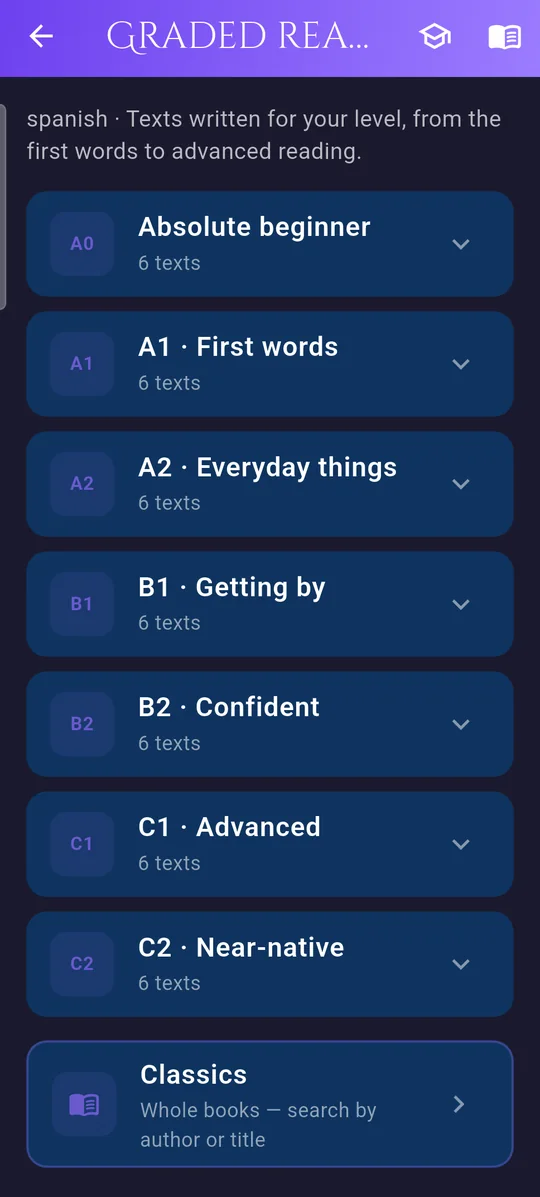
Reading for your level
Texts written for each level, from your very first words to near-native, plus whole classic books.
 Start from absolute beginner.
 Classics: whole books, searchable by author or title.
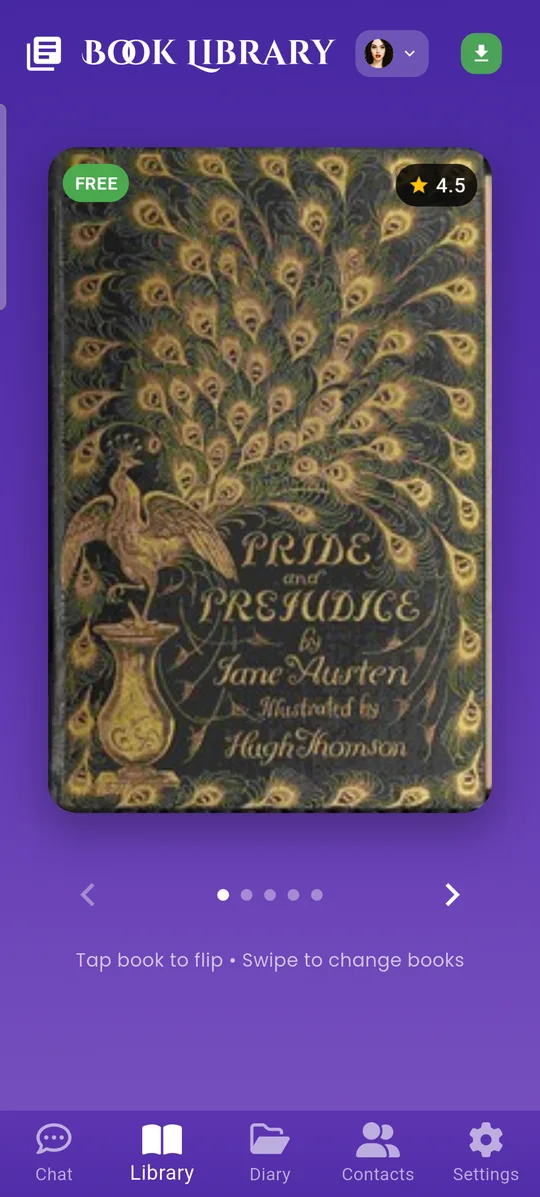
A library that reads to you
The Library tab holds the books. Flip through the covers and open one to read along with a narrator.
 Tap a book to open it.
 Choose the narrator.
 Move to the next book.
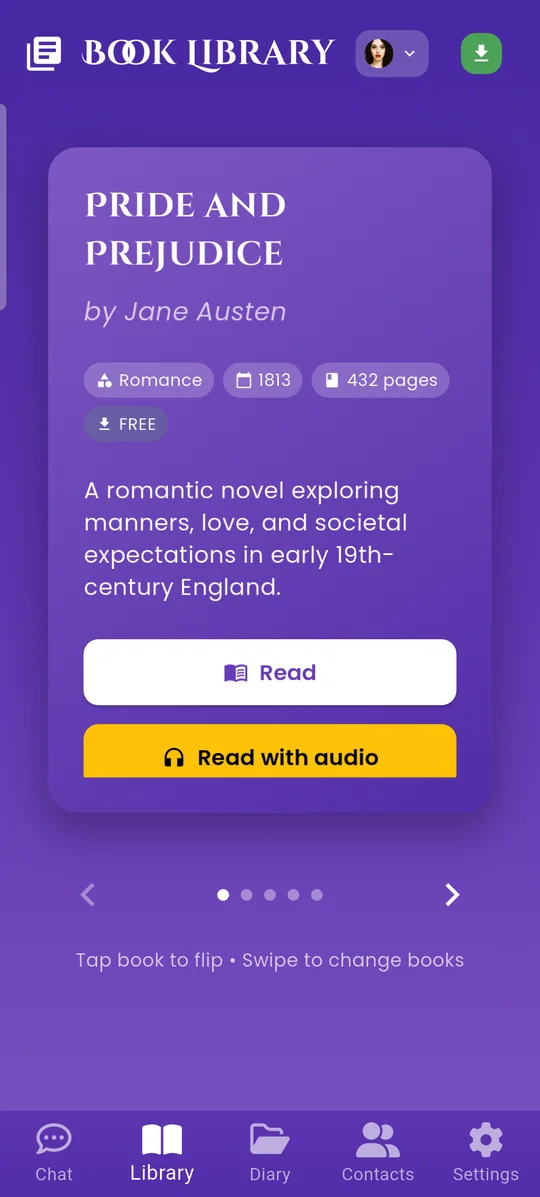
Open a book
Tap a cover in the Library and it turns over.
 Read the book yourself.
 Read with audio: a narrator reads it to you.
 Genre, year and length at a glance.
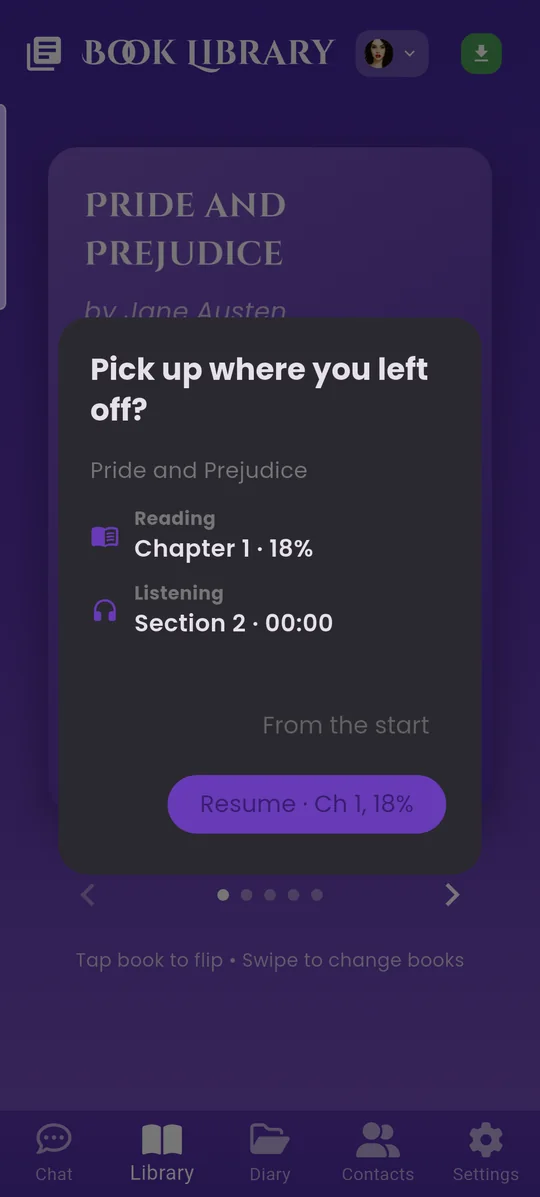
Pick up where you left off
Elya remembers where you stopped, both reading and listening.
 Where you stopped reading.
 Where you stopped listening.
 Resume from there.
 Or begin again from the start.
Reading a book
Everything you need is in the bar at the top.
 A− / A+: smaller or larger text.
 Full screen: only the page.
 Add a bookmark.
 The ⋮ menu, shown next.
 Jump to a chapter.
 An orange line marks where you left off.
 Tap the narrator to listen.
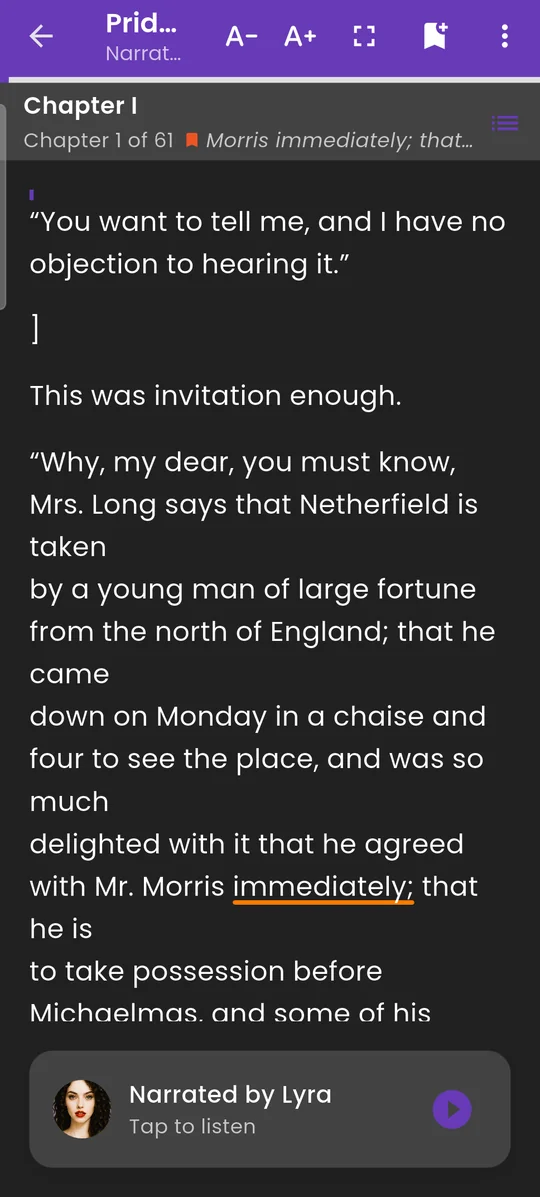
The reader menu
Tap ⋮ at the top right of the reader.
 Chapters.
 Your bookmarks.
 My vocabulary: the words you saved while reading.
 Reader settings, shown next.
 Save as text on your phone.
 Share the book.
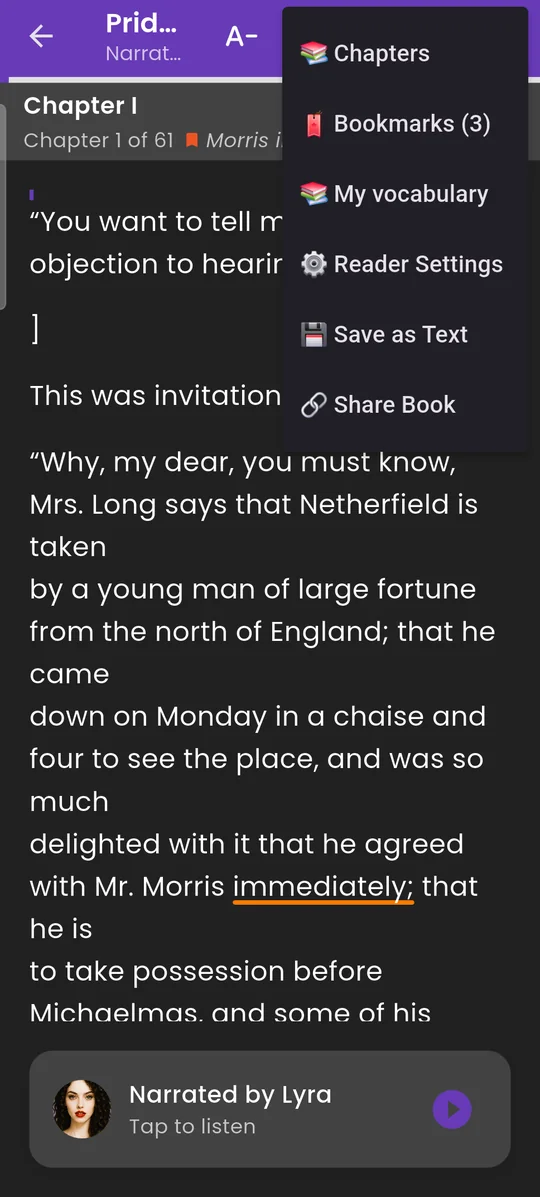
Make reading comfortable
Set the page the way you read best. Elya remembers your choice.
 Text size.
 Line spacing.
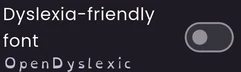 Dyslexia-friendly font (OpenDyslexic).
 Full screen.
 Follow the voice: the page moves with the narrator.
 Highlighted words: on or off, and the colour.
 Dark theme or light.
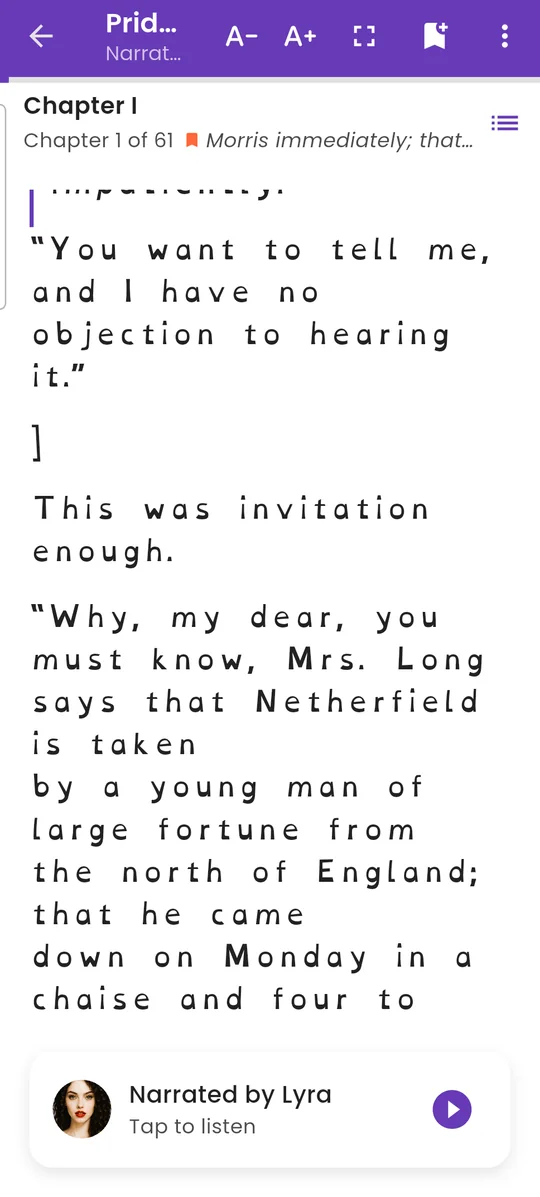
Light page, dyslexia-friendly font
The same book with the light theme and the OpenDyslexic font.
 Dyslexia-friendly font: heavier at the bottom, so letters are easier to tell apart.
 Light theme: dark text on a white page.
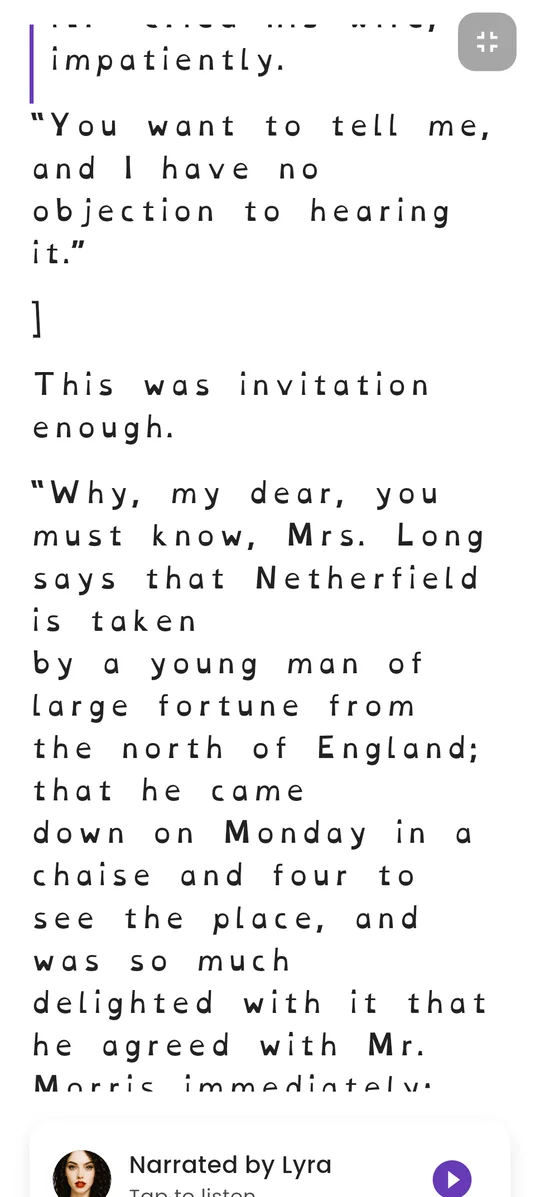
Just the page
Full screen hides everything except the text.
 Tap here to leave full screen.
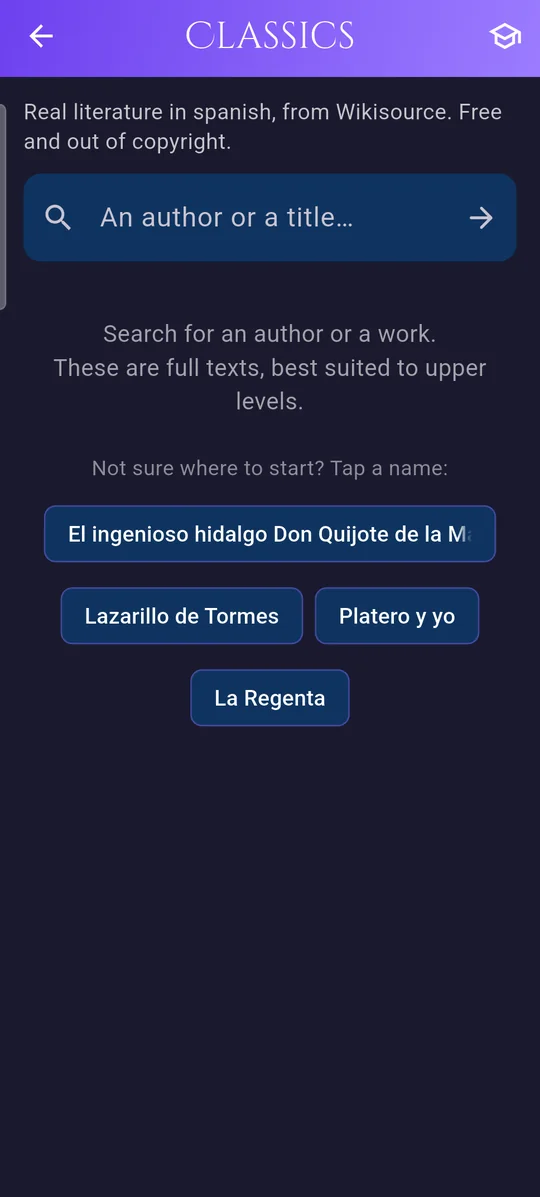
Whole classic books
Real literature in the language you are learning, free and out of copyright. Open it from Reading in the tutor menu.
 Search by author or title.
 Or tap a suggestion to start.
Your diary
The Diary tab keeps what you make in Elya: voice notes, images, notes and documents, by day.
 The calendar.
 Voice notes.
 Images.
 Notes.
 Docs: files and PDFs.
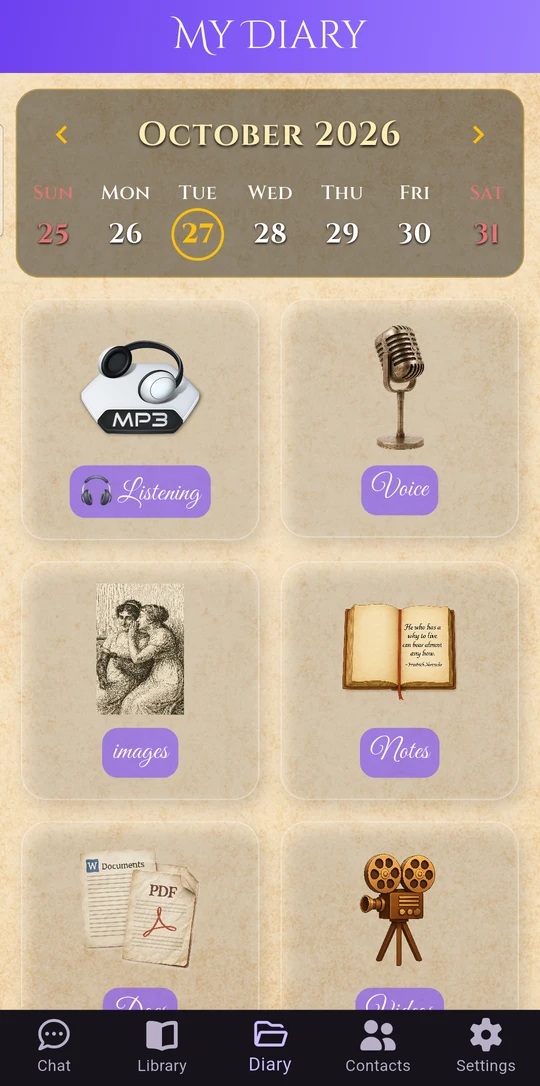
Scroll down for more
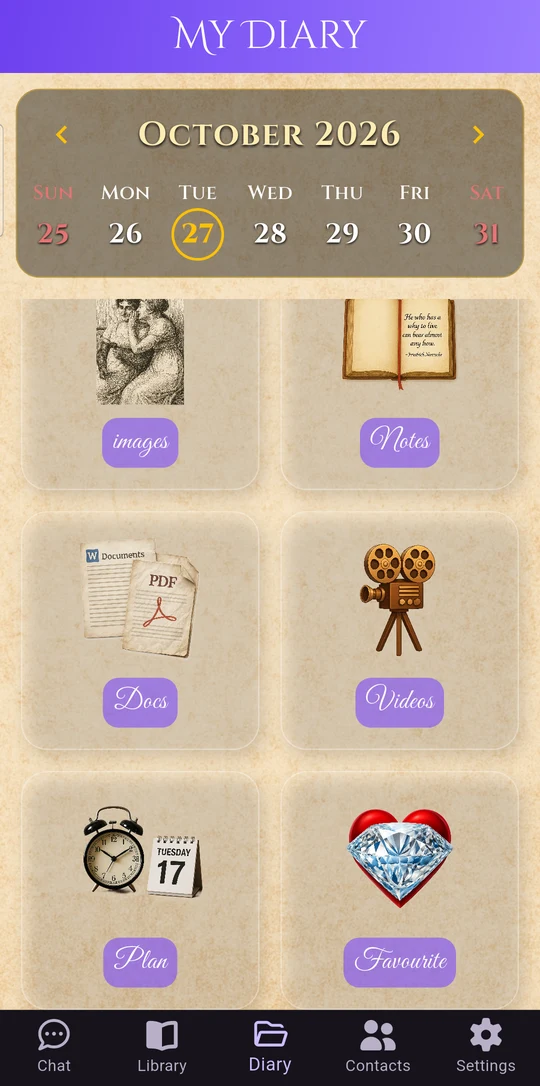
Further down the diary there are three more spaces.
 Your videos.
 Plan: your daily planner, shown next.
 Your favourites.
Plan your day
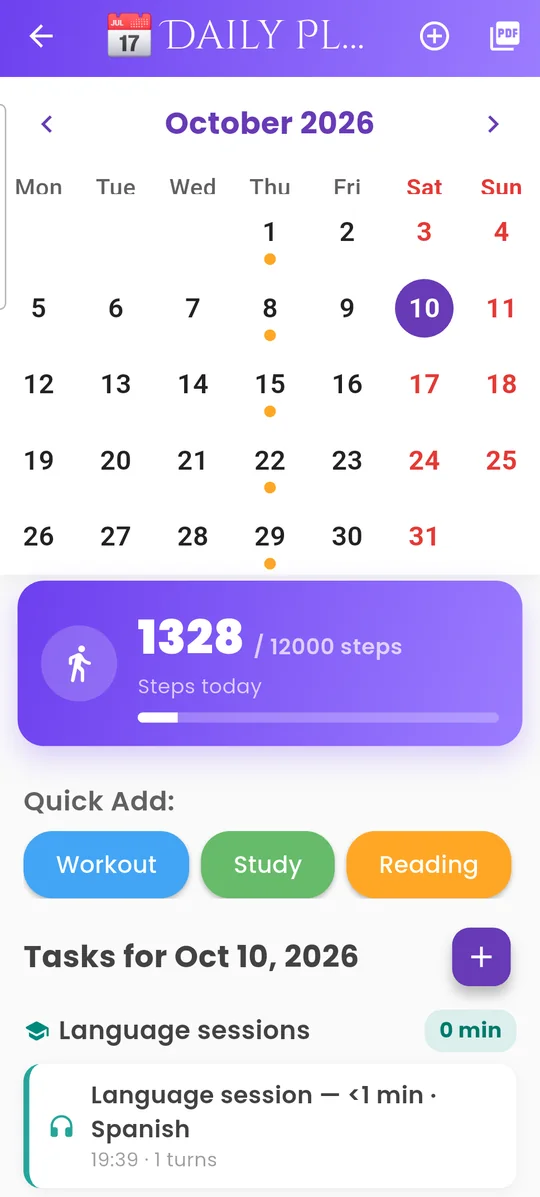
Open Plan from the diary. A simple planner for your day, with reminders, your steps, and the time you spent with your tutors.
 Add a task or a reminder.
 Save your plan as a PDF.
 A dot marks the days with something planned.
 Steps today, from your phone’s health app, if you turn it on. They stay on your phone.
 Quick add: workout, study or reading in one tap.
 Add a task for the day you picked.
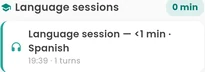 Your language sessions appear here automatically.
All the characters
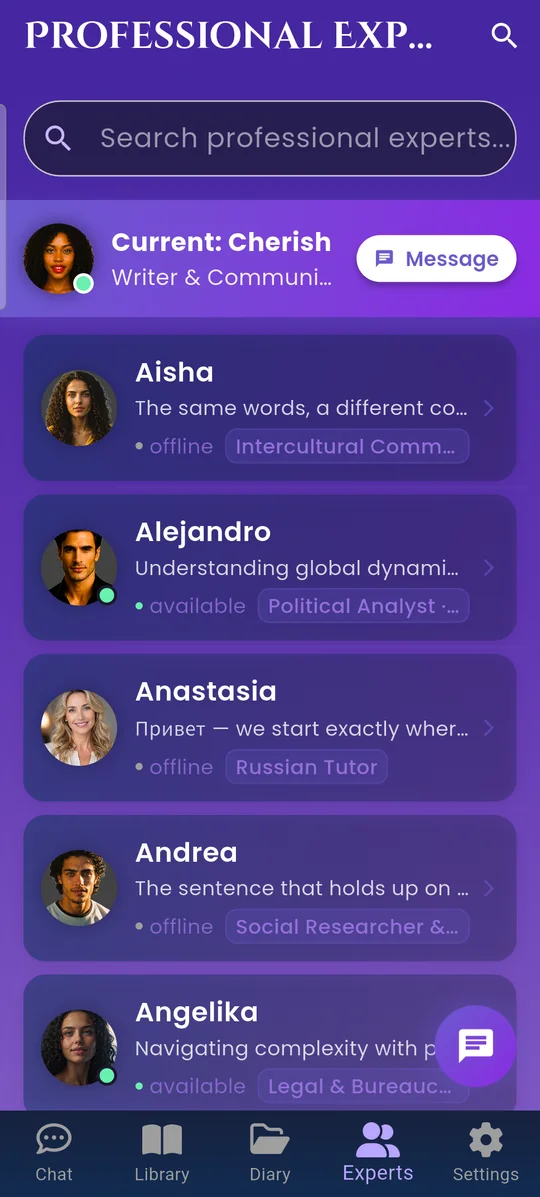
The Contacts tab lists every character: the language tutors and the companions. Tap one to start talking.
 Search by name or topic.
 Message the character you are talking with now.
 Tap any character to start a conversation.